The problem I wanted to solve
I switch distros. A lot. Too much. And every time, it’s the same story: I spend two hours reinstalling my programs. I hunt down package names. I remember I’m missing VLC right when I want to watch a video. I discover that chromium is called chromium-browser on this distro.
The worst part is, I know exactly which programs I want. The list is in my head, but translating it into shell commands is mechanical drudgery — the kind of task a computer should do for me.
So I built a tool for it.
The concept: 3 steps, zero friction
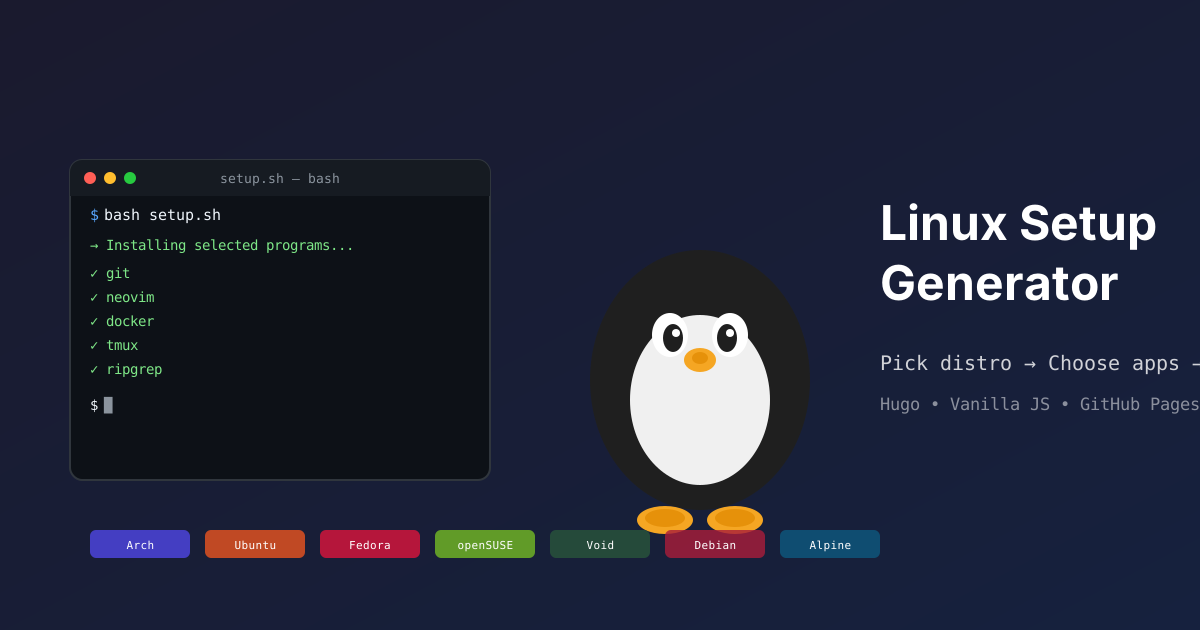
Linux Setup Generator is a static site. You land on it, pick your distribution (7 available), click the programs you want from 291 available, and get a ready-to-run bash script. Copy-paste it, or download it. That’s it.
No backend. No database. No user account. Everything runs in the browser.
What interests me here isn’t the end result — it’s how the 136 lines of JavaScript behind it turn a handful of clicks into a valid install script, with dependency resolution, for 7 different distributions.
The data model: one JSON file per program
The heart of the project isn’t the JS. It’s the data model. Each program is represented by a folder containing a program.json. Here’s what it looks like for wpgtk:
{
  "name": "wpgtk",
  "slug": "wpgtk",
  "description": "Colorscheme, wallpaper and template manager.",
  "categories": ["theming"],
  "dependencies": ["pip"],
  "package_names": {
    "arch": "python-wpgtk",
    "ubuntu": "CUSTOM_INSTALL",
    "void": "CUSTOM_INSTALL"
  }
}
No database, no API, no centralized config file. Just one JSON file per program.
Since the site is built with Hugo, these files are read at build time and injected directly into the HTML page. The generator page template contains these three lines:
const DISTROS      = {{ $distros      | jsonify | safeJS }};
const PROGRAMS     = {{ $programs     | jsonify | safeJS }};
const DEPENDENCIES = {{ $dependencies | jsonify | safeJS }};
Result: when the page loads, the browser already has all the data — distros, programs, categories, dependencies — in JS variables. No fetch, no latency. The ScriptGenerator can work directly.
The CUSTOM_INSTALL mechanism: the killer feature
This is where it gets interesting. Not all programs are packaged in official repos. Some install via cargo install, others via npm install -g, others from a third-party .deb, others by compiling from source.
The naive solution would be to hardcode a list of exceptions in the code. But that doesn’t scale — every new program requires modifying the JS. And if a program has custom dependencies, good luck.
The solution I chose is more elegant: the "CUSTOM_INSTALL" keyword as a package_names value.
When the generator sees "ubuntu": "CUSTOM_INSTALL", it doesn’t look for a package name — it fetches the static file /programs/wpgtk/custom_install/install.sh and embeds it into the final script.
What’s powerful is that the install.sh can do anything: a pip install, a curl | bash, a git clone && make, a flatpak install. The generator doesn’t care — it concatenates.
This mechanism is actually more prevalent than standard installs: 161 out of 291 programs (that’s 55%) use a CUSTOM_INSTALL. It’s not the exception, it’s the norm.
Dependency resolution: a DFS topological sort
Programs aren’t islands. wpgtk depends on pip. Ungit depends on npm, which depends on nodejs. The generator must install dependencies before the programs, without duplication.
Here’s the algorithm I wrote. It’s a recursive depth-first search (DFS) in post-order:
- For each program slug, look at its
dependenciesarray - If the dependency is a known slug (program or dependency), grab its
package_namesfor the chosen distro - If that package name is
CUSTOM_INSTALL, recurse — fetch that dependency’s own dependencies - A shared
Set(visited) prevents infinite loops and duplicate installs - Post-order (adding the slug after processing its dependencies) guarantees a valid install order — an implicit topological sort
Let’s walk through a concrete example. You select Ungit on Ubuntu:
- Ungit →
CUSTOM_INSTALL, depends onnpm→ recurse into npm - npm →
CUSTOM_INSTALL, depends onnodejs→ recurse into nodejs - nodejs →
nodejs(standard package) → added to packages - Then npm → its
install.shis added (post-order) - Then Ungit → its
install.shis added
The generated script looks like:
#!/bin/bash
# Script for Ubuntu
# Generated by Linux Setup Generator

sudo apt-get install -y nodejs
# ... custom install script for npm ...
# ... custom install script for ungit ...
The beauty is that the shared Set is global to the entire generation session: if two different programs share a custom dependency, it’s only installed once.
The ScriptGenerator: 136 lines, 4 methods
The ScriptGenerator class does four things:
_retrievePackageNames()— for each selected program, checkspackage_namesand categorizes intopackageNames(standard) orcustomSlugs(CUSTOM_INSTALL)_buildPackageInstallCmd()— takes all package names and concatenates them into a single command:sudo pacman -S git neovim docker tmux(one command, not 5 separate calls)_custom_installs()— for each custom slug, calls_get_custom_install()which resolves dependencies (DFS) thenfetch()es the correspondinginstall.shfiles_script_header()— adds the shebang and a comment with the distro name
The result is assembled in _buildScript():
async _buildScript() {
  const { packageNames, customSlugs } = this._retrievePackageNames();
  const installCmd = this._buildPackageInstallCmd(packageNames);
  const customCmd = await this._custom_installs(customSlugs);
  return this._script_header() + installCmd + "\n" + customCmd + "\n";
}
That’s it. No state machine, no complex pipeline. One class, four methods, job done.
Why it works so well
Several principles make this design robust:
1. Data/logic separation
Adding a program never touches the code. You create a folder, drop in a JSON file, optionally an install.sh, and you’re done. Hugo handles the rest at build time. This separation means the catalog can grow indefinitely without the JS complexity increasing.
2. Zero external dependencies
The site has no backend, no CDN, no third-party API. Once the HTML is loaded, everything works offline. The only optional network call is the fetch() to install.sh files — and even that could be preloaded into the HTML.
3. Distro-agnostic by design
The package_names maps distro slugs to package names, with a "default" fallback. This means a program can have completely different names across distros without the code doing any conditional branching. The JS just does package_names[distro.slug] || package_names["default"].
4. The browser as the generation engine
By generating the script client-side rather than server-side, I avoided having to maintain a backend, a worker, or a lambda. The site is literally static files served by GitHub Pages. Zero cost, zero maintenance.
What could have been improved
In hindsight, two things nag at me:
The global visited Set is a bit magical. If two custom programs share a dependency, it’s only installed once — which is correct for system packages, but could cause issues if two install.sh scripts do different things with the same slug. In practice, since slugs are unique to a program and dependencies point to the same slug, this isn’t a problem. But the implicit assumption (“same slug = same install”) deserves to be documented.
No error handling. If an install.sh fails (exit code != 0), the script continues. In a V2, I’d like to add set -e or a trap mechanism to stop on errors. Then again, it’s a conscious choice — a failing custom install.sh shouldn’t prevent the rest of the script from running. An AppImage that 404s shouldn’t block your window manager install.
The real value of the project
Honestly, the most satisfying part of this project isn’t the site — it’s the contribution model. Anyone can add a program. You don’t need to know how to code, you don’t need to understand Hugo or JS. You look at an example program.json, copy the pattern, and submit a PR. The JSON file is 10 lines. The install.sh is often 2-3 lines.
That’s what got the catalog from 0 to 291 programs. Each addition takes literally 2 minutes.
What’s next?
The site is live at linux-setup-generator.online. The repo is on GitHub. The roadmap includes more programs (obviously), support for more distros (NixOS, Gentoo?), and a “flatpak-only” mode for Windows refugees who want maximum GUI without touching the terminal.
But let’s be honest: what’ll most likely happen is I’ll keep adding programs as I discover new ones. That’s the beauty of a data-driven catalog — there’s never a “done.”